Network-attached storage (NAS) is just the ticket for storing and streaming your own videos, music, and digital photos around the house and even across the world. It can be just like Spotify, YouTube, or Netflix, except with your own media.
NAS is also immensely handy for backing up and synchronizing the data on your computers and mobile devices. Backing up to local storage is much faster than relying on a cloud service such as DropBox or OneDrive, and the same goes for restoring an accidentally deleted file or recovering from a crashed system.
It’s also easy to set up a NAS box to function just like those cloud services, enabling access from anywhere in the world. In fact, NAS box builders have taken to calling their products “private clouds” in an effort to make the concept more familiar to consumers.
Updated August 19, 2019 to add our review on the QNAP HS-453DX, a powerful NAS box that’s optimized for media streaming, including streaming 4K video directly to a TV via HDMI 2.0. It can also accomodate SSDs in addition to conventional hard drives, and QNAP recommends using it to build a Roon music server (running the Rune Core on an SSD, and storing music on conventional drives). In addition to all that, the box is also outfitted with a crazy-fast 10-gigabit ethernet interface. This is an expensive solution at $699 (before you add drives), but it is easily the best NAS box for streaming that we’ve yet encountered.
To get the best of both worlds, most boxes will sync with cloud storage services, providing another layer of data redundancy and disaster-recovery options. If you experience a disaster at home—a flood, fire, or earthquake—you’ll at least have the peace of mind that comes with knowing your data is safely backed up at another physical location.
A word on pricing: Not all NAS box manufacturers also build hard drives, so many of them sell these boxes “unpopulated;” i.e., without any hard drives installed. When you’re comparing prices, make sure you know whether or not the drivers are included. If you’re not familiar with formatting a hard drive or setting up an array of drives, you might find it more convenient to buy a NAS box that’s populated and ready to go right out of the box.
Best NAS box for media streaming
The $699 price tag is intimidating, but there is no better solution for streaming media, including 4K UHD video directly to a smart TV via HDMI 2.0. This will also make an ideal Roon server, thanks to its capacity to support an SSD for the Roon Core in addition to hosting a pair of 3.5-inch hard drives for your media files. If you have the network infrastructure to take full advantage of it, you’ll be able to transfer files in flash thanks to its support for 10-gigabit ethernet. On top of all that, the chassis is entirely passively cooled for near-silent running.
Best mainstream NAS box
The WD My Cloud EX2 Ultra is one of the least-expensive two-bay NAS boxes you’ll find, but it’s still very fast; in fact, it was nearly as fast as the business-oriented Netgear ReadyNAS 212, which costs twice as much. That’s a combination that’s hard to beat. We’ve picked the unpopulated version here, but you can buy one with the drives already installed and configured as RAID 1 for data redundancy (a 4TB configuration costs less than $349 on Amazon).
How we tested
Speaking of testing, here’s how we benchmarked them. Each boxes was mapped under Windows 10 on a faster Core i7-3770 system with NVMe SSDs and then benchmarked with CrystalDiskMark 5. Additionally, backups of 40GB of data were performed to check real-life throughput against the benchmark. We streamed 1080p—and where possible, 2160p—video files to multiple client devices, including two second-generation iPads, the test PC, two Android phones, and a Windows Phone. A DLNA media server was used whenever possible; when it wasn’t, we used Plex Media server and the relevant client app.
Each of the boxes reviewed here proved capable of delivering data fast enough to stream 10-bit color, 2160p (4K UHD) video at 60 frames per second. A box that can do that, can easily stream 720p and 1080p video to multiple devices. That means that streaming performance was basically a non-issue for these drives, though we’ve noted where a particular box was outstanding.
Adequately fast backup and synchronization was another baseline that each of the boxes met, though some were considerably faster than others. The WD My Cloud EX2 Ultra, Netgear ReadyNAS 212, ZyXel NAS520, and TerraMaster F2-220 all topped 100MBps writing data sequentially. The QNAP TS0251a, Seagate Personal Cloud, and Synology DS216play did not. The Seagate, at such a low price, was no surprise, but QNAP and Synology have a rep for speed. These are not the company’s fastest boxes.
Regardless, only initial backups or synchronization tend to be time consuming, so subsequent partial backups will be relatively quick even on the slower boxes. Each of them should handle backups for four or five PCs and all the mobile devices you can throw at them.
Features to look for when shopping for a NAS box
There are generic features you’ll find on anything wanting to call itself a NAS box these days, including: support for an administrator and multiple users, support for SMB (Windows) and AFP (Apple) network protocols, and a configuration interface accessed via a Web browser. Nearly all NAS boxes are based on some form of Linux and most offer a plug-in, or app architecture to add less common features.
But there’s an array of features that vary in quality and abundance that you should inspect before you make your decision.
Backup You can always map your NAS box as local drive and back up to it the way you would a USB drive, but most NAS boxes have features that are considerably more powerful and automated. Look for FTP for simple backups, TimeMachine support for backing up Macs, and Rsync for syncing with other NAS boxes. Some manufacturers offer their own proprietary server/client app solutions, such as QNAP’s QSync.
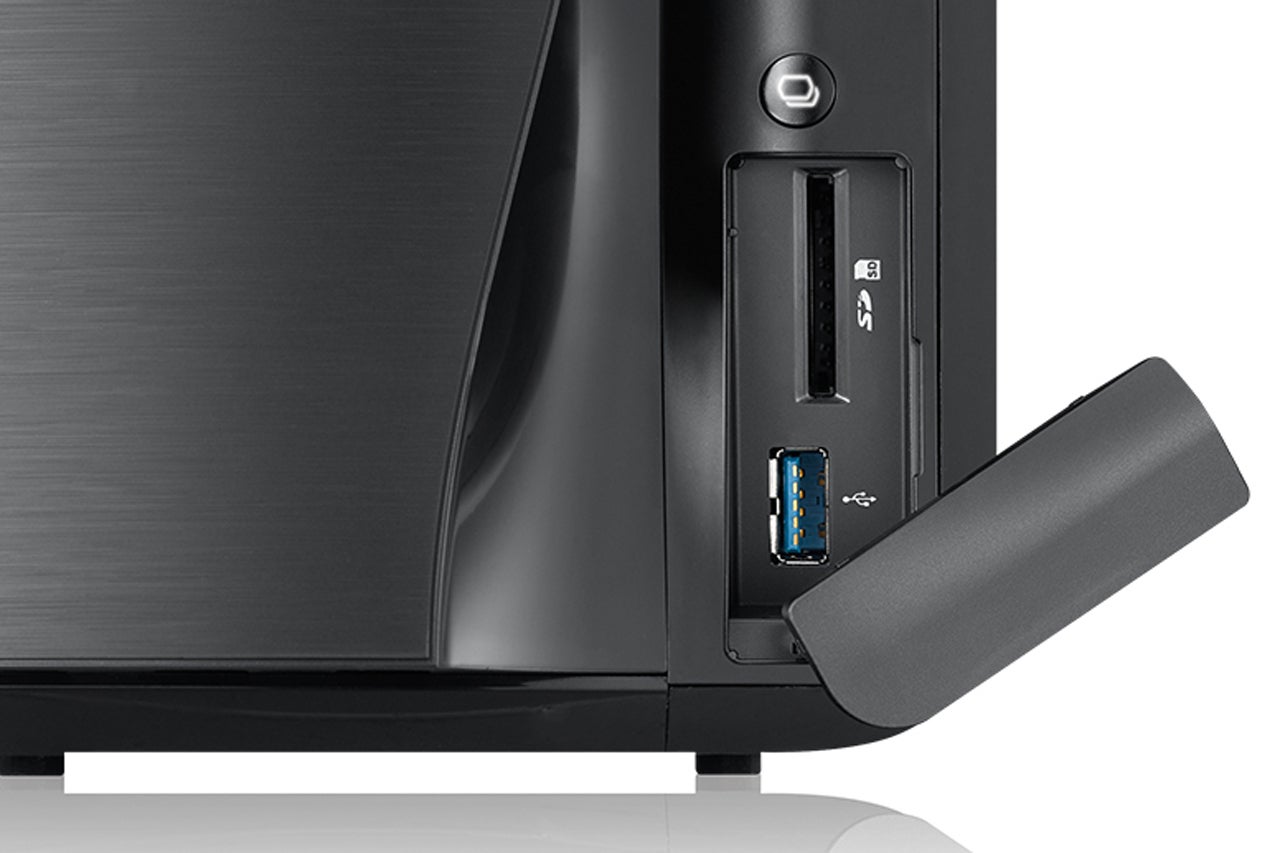 ZyXel
ZyXelCard reader An SDHC or similar card card reader on the front of the NAS box can be handy for copying media files to the box from cameras or recorders.
Cloud service connectivity Like backup, being able to sync your files with online services such as DropBox, OneDrive, Google Drive, et al is super handy and allows access to your files when you don’t have an internet connection.
DLNA media server Nearly all PCs and most multimedia devices can play media streamed from your NAS box via DLNA, although they might require a client app to do so. Nearly every NAS box comes with a DLNA server these days, but check the one you’re buying to be sure.
Dual ethernet ports A NAS box that supports port aggregation (i.e., using multiple ethernet ports to send and receive data) will deliver significantly higher throughput over your network—but only if they’re connected to a router that supports the same feature, and those are rare in the consumer market (Netgear’s Nighthawk X10 is one of the few). Aggregating ports using a router that’s not capable of it will diminish throughput.
 QNAP
QNAPGigabit ethernet You can back up and stream 1080p to a couple of devices over 10/100 ethernet with no problem. Gigabit ethernet will support more and it will ensure smooth streaming of 4K UHD (2160p) video, not to mention faster backups. But every component on your network must be gigabit capable—the NAS box, the router, the computers, and any switches in the data path—must also support gigabit ethernet, too. Be sure to use CAT5e or higher ethernet cable, too.
Multiple drive bays Two bays allow you to mirror two drives (RAID 1) to protect your data via redundancy (RAID is an acronym for Redundant Array of Independent Discs). Alternatively, you can attach a USB drive to keep the box backed up. How important this feature is depends on how important the data you store on the drive is. A NAS box with four or more bays will enable you to run more sophisticated arrays, such as RAID 5.
Plex Media Server Because certain companies such as Apple don’t support DLNA, Plex has stepped in with its own streaming solution and client apps for every mobile device and operating system in the universe ((well, it certainly seems that way). Those clients it doesn’t support can still play media from within a browser. Plex is slick and nearly universal, but it’s not as transparent as DLNA.
Populated or unpopulated Consumer-oriented NAS boxes from Seagate and WD generally include drives; brands targeting enthusiasts, small businesses, and the enterprise typically don’t. Populated boxes are largely a convenience for people who aren’t comfortable mounting and formatting drives (it’s a snap, really).
Quick-copy button A button on the front of the NAS box that quickly copies media files from USB or a card slot can be handy if you’re constantly off-loading photos and video from you camera or recorder—provided you leave your box in an easily accessible location.
Remote access All NAS boxes allow remote access to your files, but some make it easier by allowing you to connect through the company’s web portal, and/or automatically configuring your router with the appropriate port-forwarding information.
 Synology
USB You’ll be hard-pressed to find a NAS box without a USB port for loading or saving/backing up files. But USB 3.0 is faster, and multiple ports allows adding devices such as printers, webcams, and even the TV tuners that some boxes support.
Video transcoding Many NAS boxes employ CPUs that offer hardware-assisted video transcoding; that is, altering the dimensions and bit rates of the original video before streaming it. This can lessen the strain on destination devices such as phones that don’t have the horsepower to do it on their own. Note that transcoding may not work via DLNA, but only with the playback apps that some NAS vendors offer.


No comments:
Post a Comment